 CrewStructure
Schedule the crews, collect signed timesheets, keep the job records in one place.
Software for construction contractors: the office plans the work, foremen report from the job site, and payroll, costs and safety records come out of the same data.
What it does
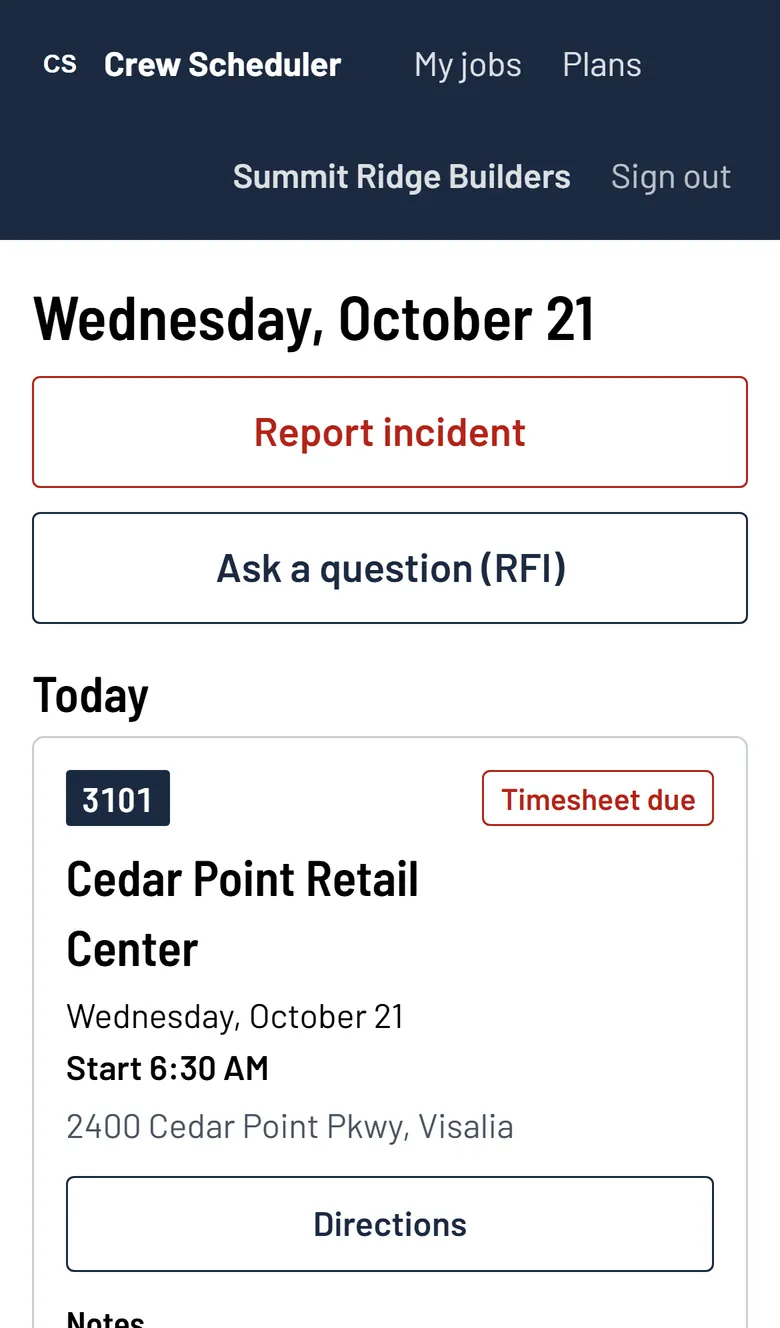
Screens from the app, filled in with a sample company.
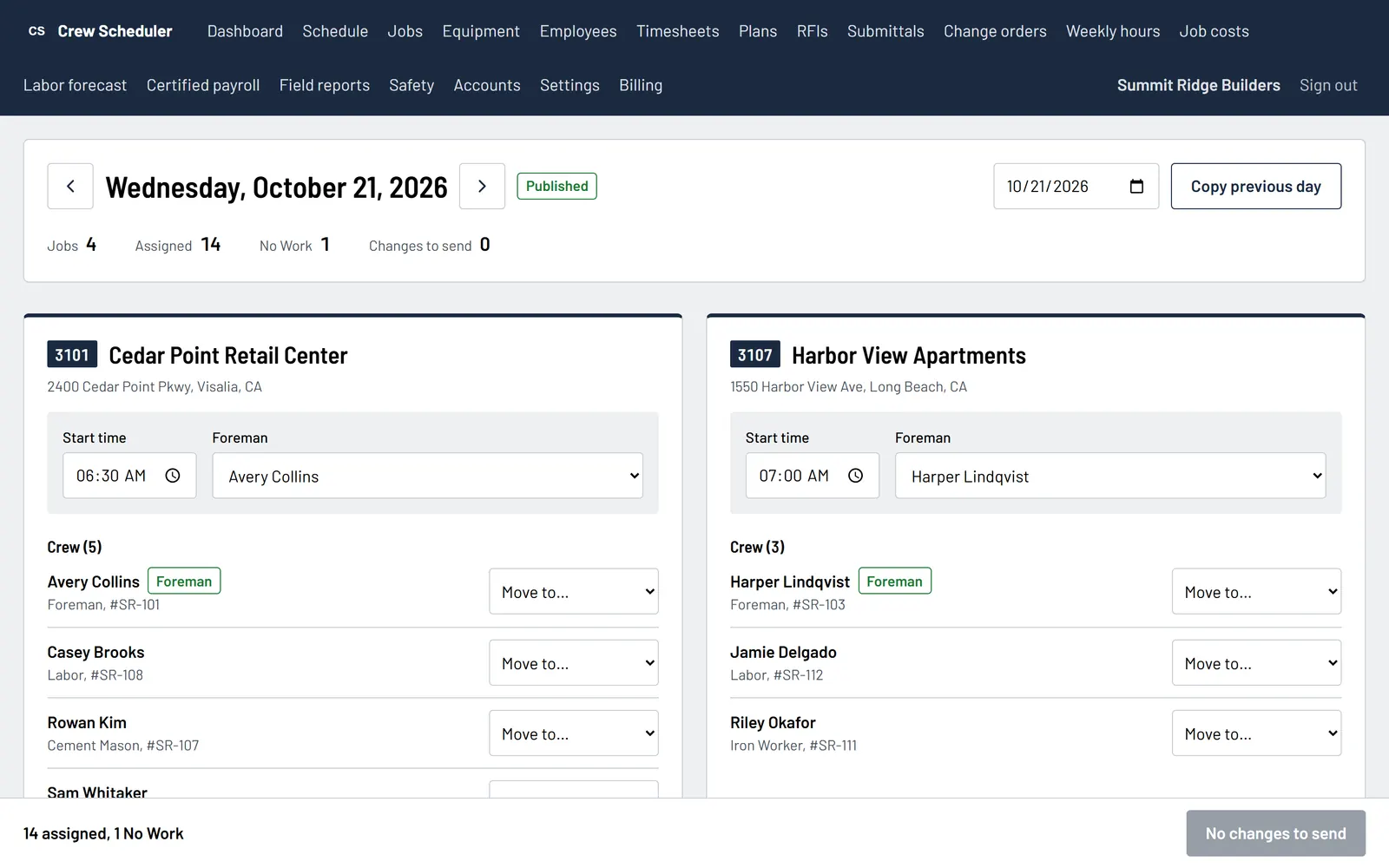
Crew scheduling
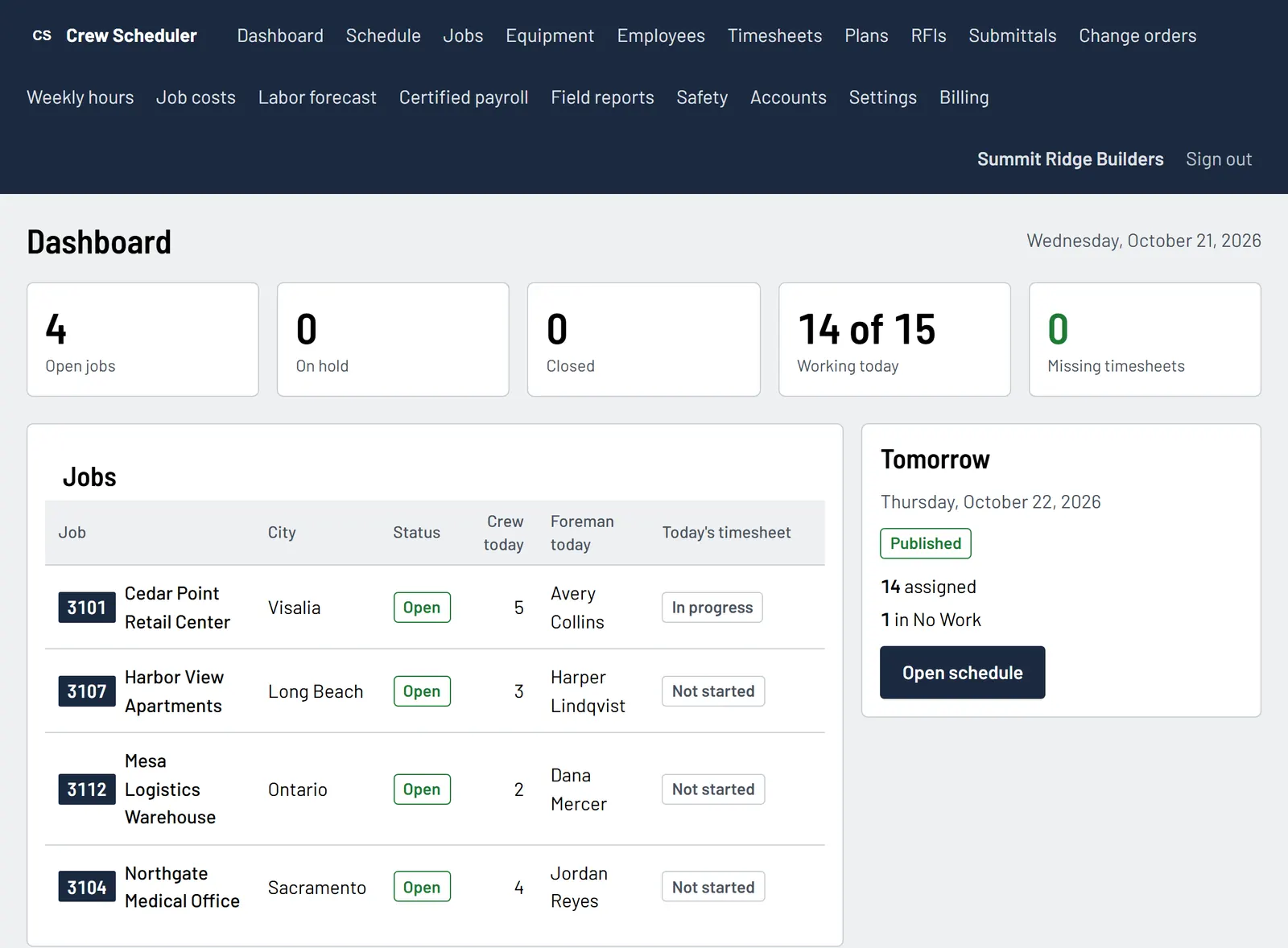
Build tomorrow's board by job and crew, publish it, and every worker gets the job, the address and the start time by e-mail. The dashboard shows each job's crew, foreman and timesheet for the day.
- Copy the previous day, then move people between jobs
- Warnings before you publish, such as a job without a foreman
- After a change to a published day, only the changes are sent
Foreman timesheets
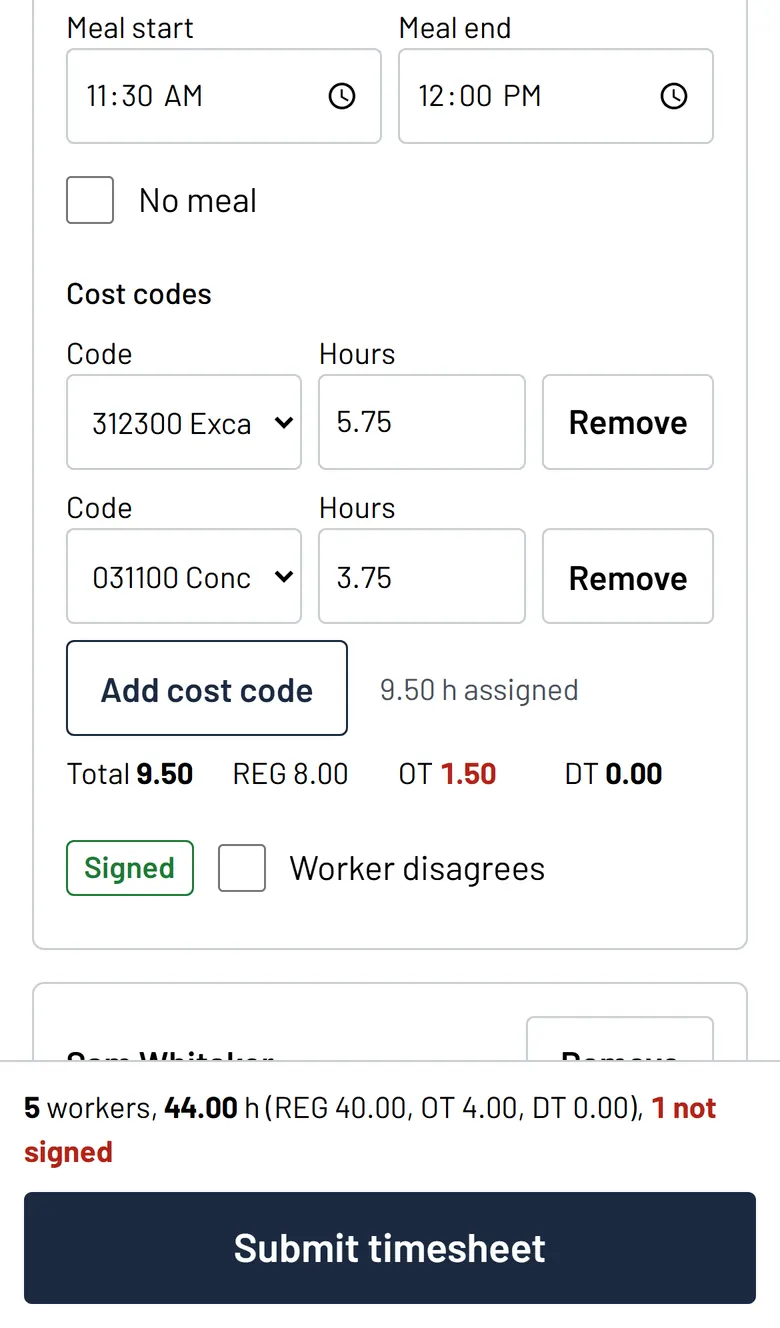
The foreman enters hours, meals and breaks on the phone and splits them by cost code. Each worker signs on the screen, and the timesheet is saved on the phone when there is no signal.
- California daily and weekly overtime, double time and the seventh day
- Meal and rest period premiums calculated with the hours
- A worker who disagrees can say so instead of signing
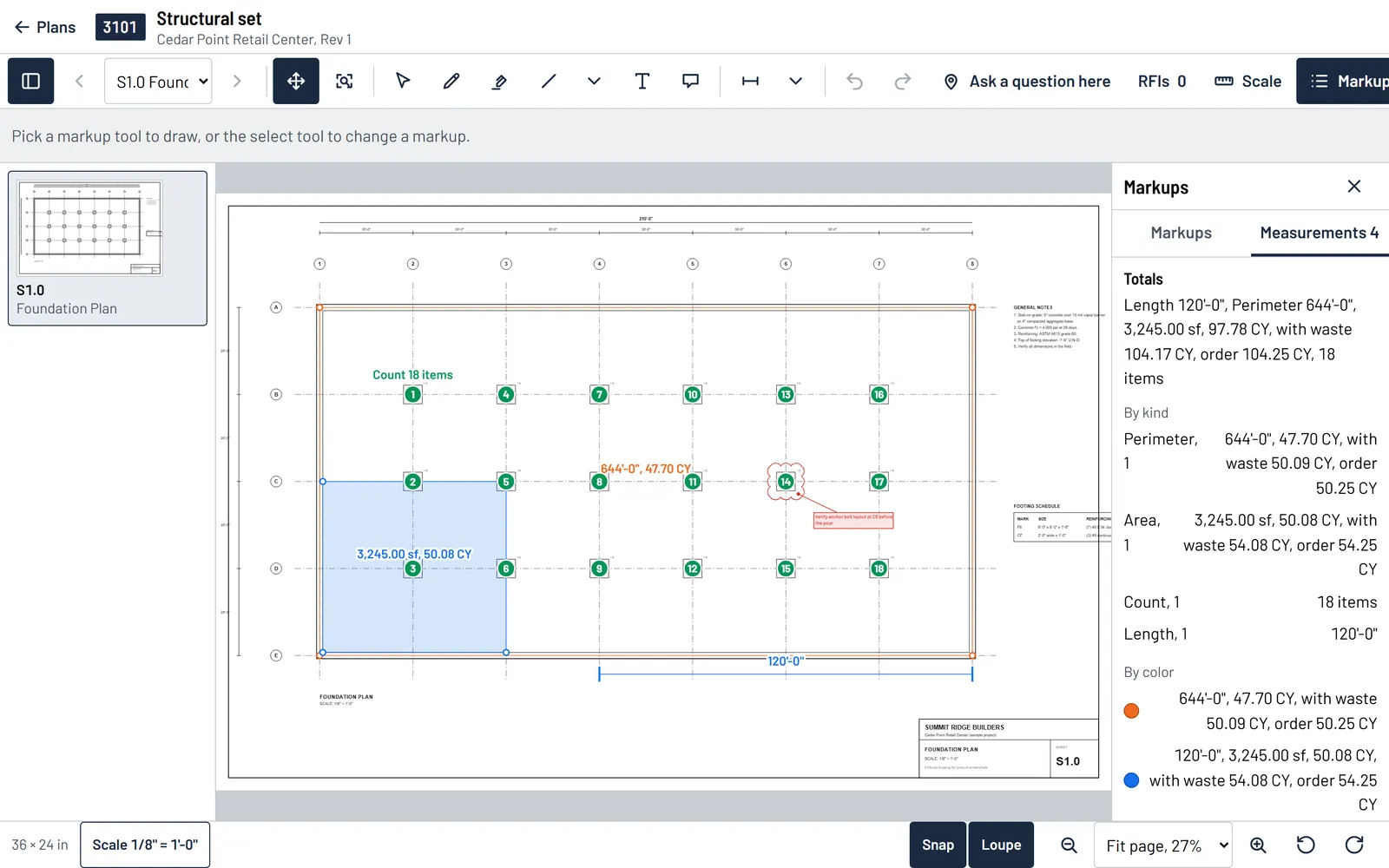
Plans with measurements
Upload the PDF set, set the scale, and measure lengths, areas and counts on the sheet. Sheets shared with a job are on the foreman's phone too.
- Scale from the sheet, or calibrated with a known dimension
- Concrete volume in cubic yards from an area or a footing run, with waste
- Clouds, callouts and text markups, with every revision kept
Job costs and certified payroll
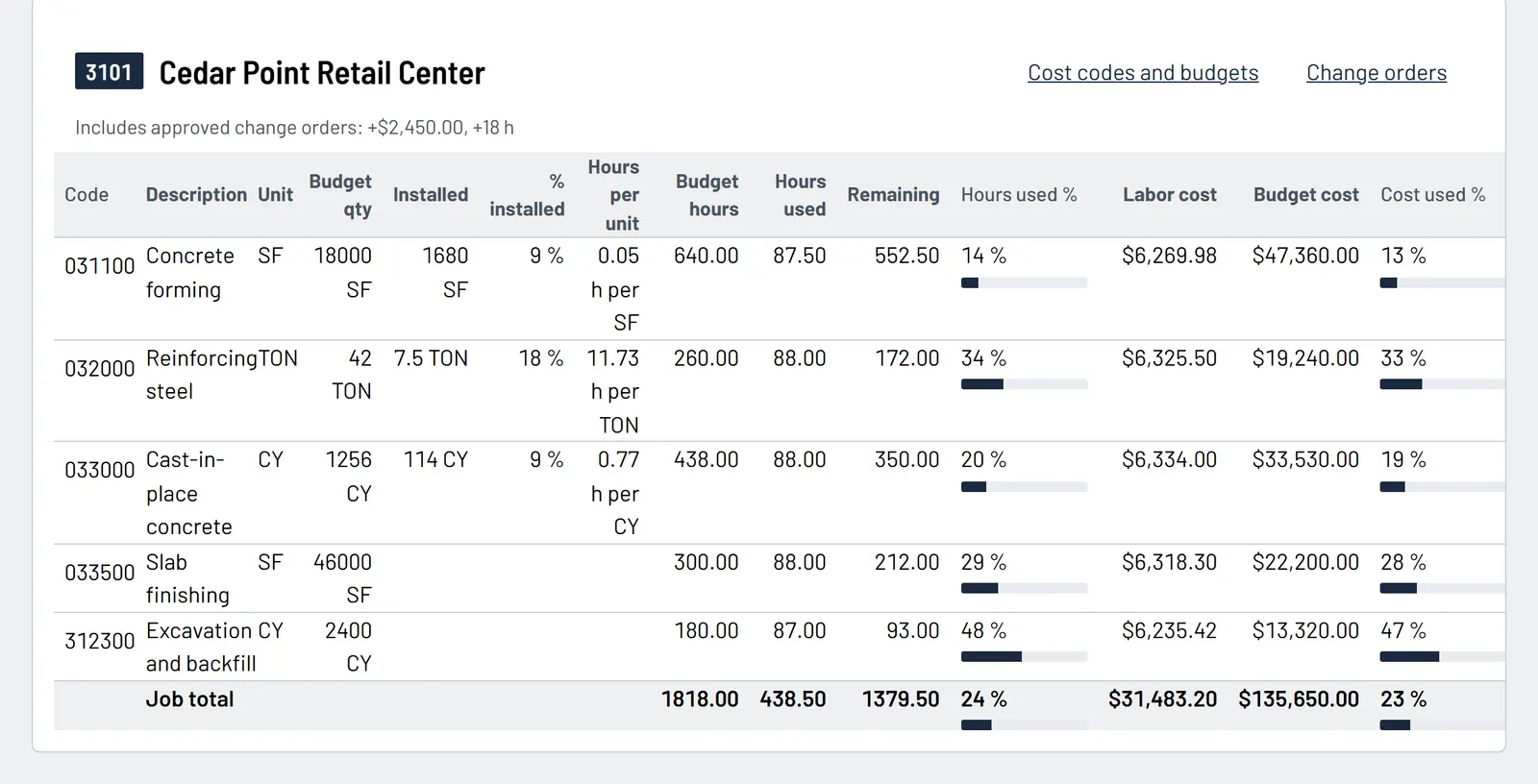
Labor hours and cost against budget by cost code, from the signed timesheets and the pay rates in force each day. Certified payroll comes out of the same hours.
- Budget, installed quantities and hours per unit by cost code
- Approved change orders added to the budget
- WH-347 PDFs and DIR eCPR XML for public works
Safety and Cal/OSHA
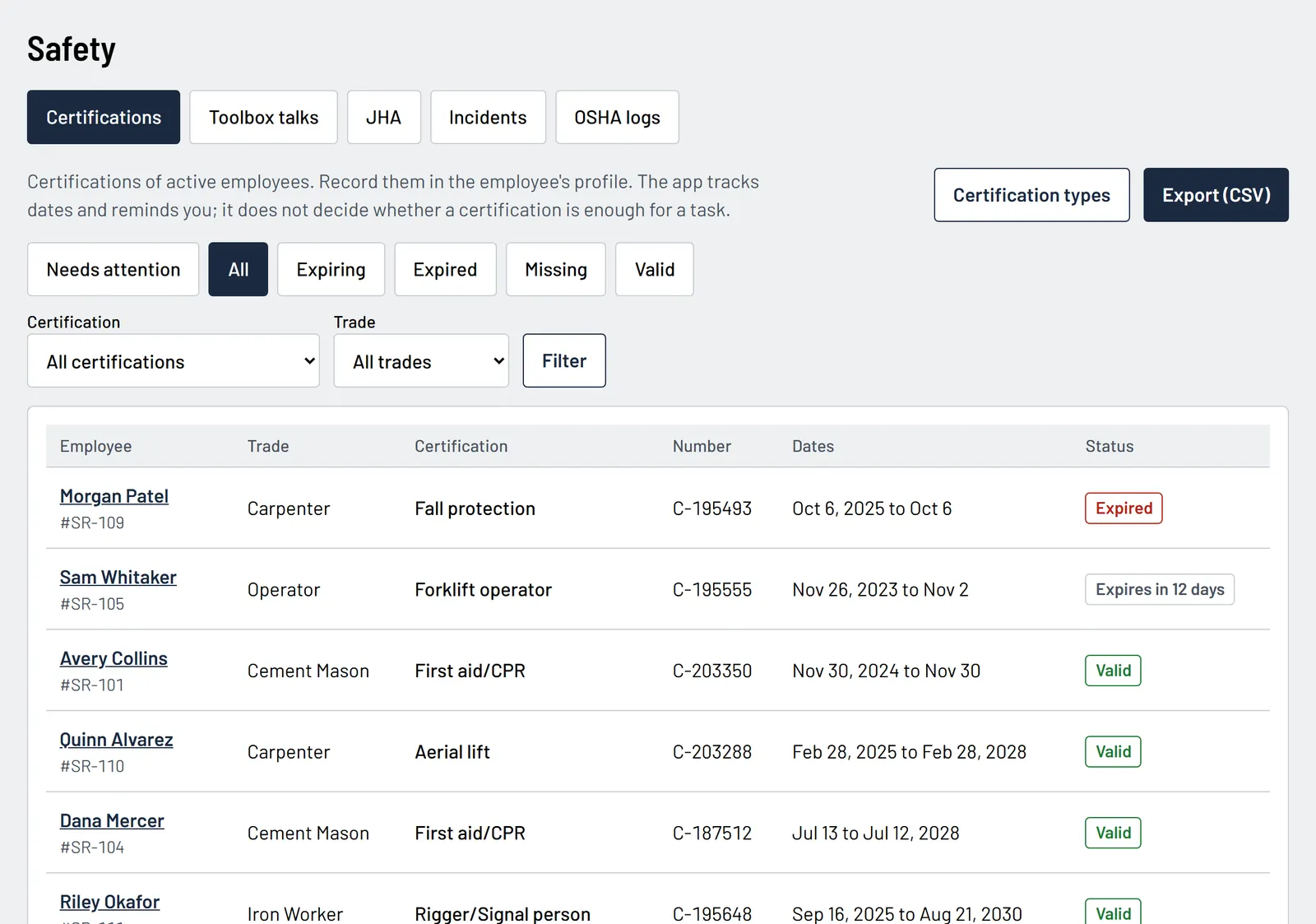
Keep the crew's certifications current and the safety paperwork signed. Toolbox talks and JHAs are signed by the crew on the foreman's phone.
- Certifications with expiry dates and reminders
- Incident reports with the OSHA 300, 300A and 301 forms
- Safety records download as CSV or PDF at any time
RFIs, submittals and change orders
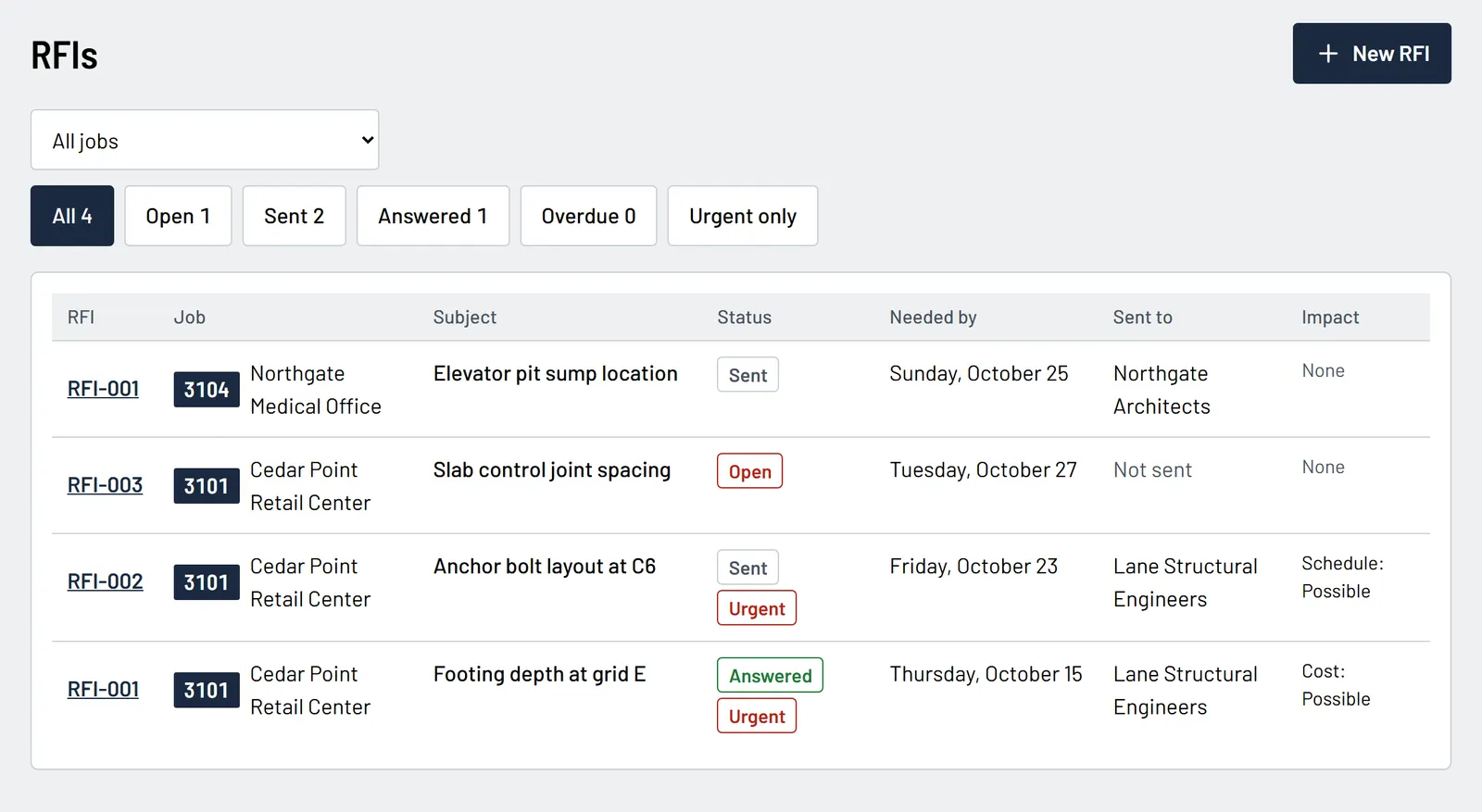
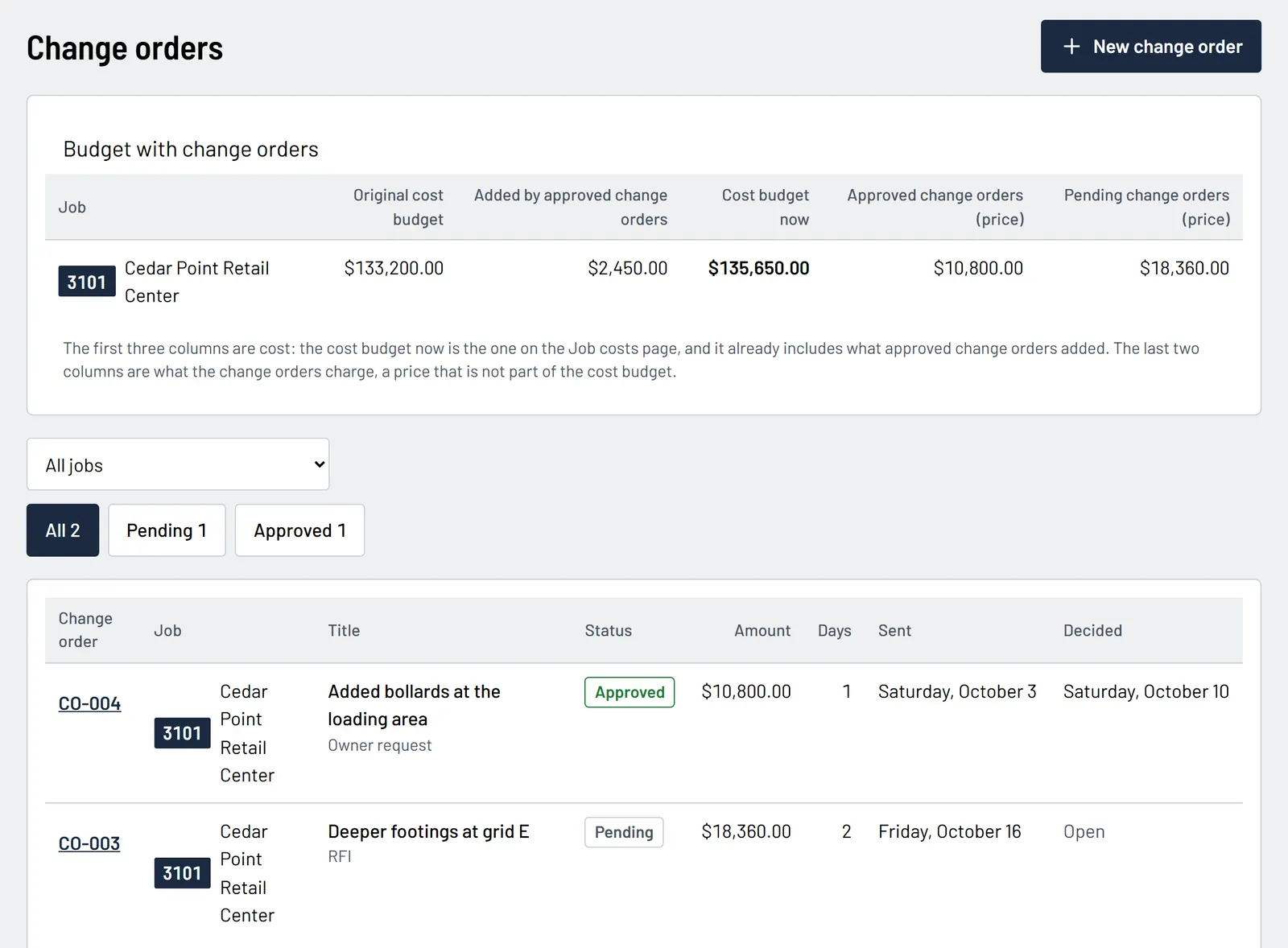
Numbered logs per job, with PDF transmittals. An RFI can be pinned to a spot on a plan sheet, and an approved change order updates the budget.
- Needed-by dates, urgent flags and overdue counts
- Cost and schedule impact on every RFI
- Pending and approved change orders by job
1 of 2: RFI log
How it starts
- 1
Choose a plan
Create the company account with your e-mail. Stripe collects the card; the trial starts right away.
- 2
Add your people and jobs
Enter employees, jobs and pay rates, or start with a few and add the rest as you go.
- 3
Give foremen a login
Foremen sign in on their phones. Workers do not need an account: they sign their hours on the foreman's phone.
Pricing
Standard
$99.99 per month
Billed monthly. Cancel any time.
Sample price, not final
Placeholder plan with a sample price. The real price is set before launch.
Unlimited office and foreman logins
Workers sign on the foreman's phone and never need a login.
14-day free trial, card required
Need more logins? Add them for $15 a login per month. Prices in US dollars.
Questions
Do I need a card for the trial?
Yes. Stripe asks for a card when you sign up. Nothing is charged until the trial ends, and you can cancel before that from the billing page.
Who needs a login?
The office and the foremen. Workers have no account: they sign their timesheet lines on the foreman's phone.
Does it work without signal on the job site?
Yes. Timesheets, daily reports, incident reports and toolbox talks are saved on the phone and sent when the signal comes back.
Which overtime rules does it use?
California rules: daily overtime after 8 hours, double time after 12, weekly overtime after 40, the seventh consecutive day, meal and rest period premiums, and union agreement periods when you set them.
What happens if a payment fails?
You get an e-mail and a notice in the app, and everything keeps working for 7 days while you update the card. After that the app pauses, but your admins can still sign in to pay or to download the company's records.
Can I get my data out?
Yes, at any time: weekly hours, payroll, certified payroll, OSHA logs, job costs and field reports download as CSV or PDF. Admins can download them even while access is paused.
Is there a mobile app?
The app works in the phone's browser and can be added to the home screen. Store apps that sign in with the same e-mail and password are planned.
Already have an account? Sign in